
Websites are no longer “extra.” They are the front door of businesses, the classroom for students, the support desk for customers, and the engine behind modern services. From reading tech guides to applying for jobs, paying bills, watching lectures, or running an online store—websites and web apps are the backbone of daily digital life.
If you’re a student or a beginner, web development can look confusing at first because people throw around words like “front-end,” “back-end,” “server,” “database,” “API,” and “framework.” The truth is: web development is not mysterious. It’s simply a structured way of building systems that people can use through a browser.
In this guide, you’ll learn what web development is, how websites actually work, and the clearest difference between front-end vs back-end—without unnecessary jargon.
Table of Contents
What Is Web Development?
Web development is the process of creating and maintaining websites and web applications that run on the internet. A “website” is typically content-based (pages, posts, articles), while a “web application” is more interactive (logins, dashboards, payments, real-time data). But both rely on the same core idea: your browser requests something, and a system responds.
At a professional level, web development includes:
- Building user interfaces (what people see and click)
- Creating server logic (how the system behaves behind the scenes)
- Storing and retrieving data (databases)
- Performance optimization (speed and stability)
- Security (protecting users and data)
- Deployment and maintenance (keeping the site running)
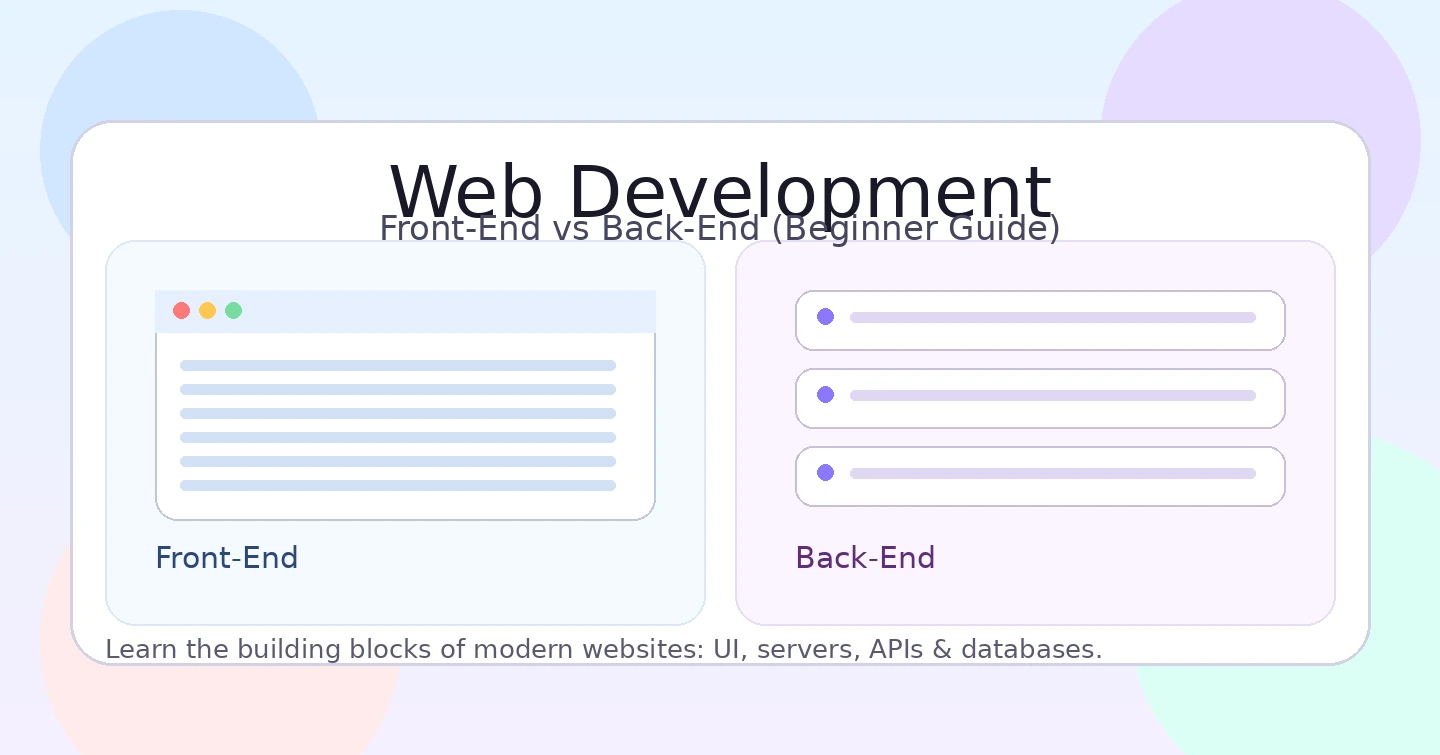
A useful way to understand web development is to divide it into two major parts: Front-End and Back-End.
How Websites Work (Beginner-Friendly Explanation)
Whenever you open a website, a simple conversation happens in the background:
- You type a web address (URL) in a browser.
- The browser sends a request to a server.
- The server processes the request.
- The server sends a response (page/data) back to the browser.
- The browser displays the result on your screen.
This process depends on basic networking concepts (how devices communicate), and if you want a simple foundation, you can also read: What is a Computer Network? and The OSI Model & The 7 Layers Explained.
Now here’s the most important line for beginners:
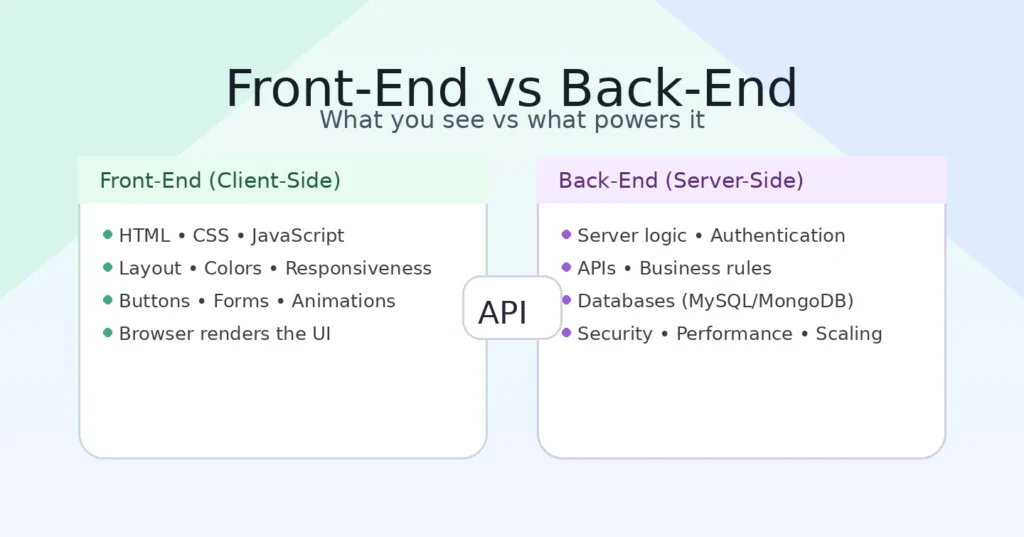
Front-end is what users see and interact with. Back-end is what powers everything behind the scenes.
What Is Front-End Development?
Front-end development is the part of web development that runs in the user’s browser. It includes the layout, design, buttons, forms, animations, and everything the user directly experiences.
Think of it like a shop:
- The front-end is the shop’s display, counters, lighting, and customer experience.
- If it looks confusing or slow, people leave—no matter how good your product is.
Front-End Technologies (The Core Stack)
- HTML – structure (headings, paragraphs, forms, images)
- CSS – styling (colors, spacing, layout, responsiveness)
- JavaScript – interactivity (validation, dynamic content, events)
For trustworthy references, MDN is one of the best official learning sources: MDN Web Docs.
Front-End Skills That Make You Valuable
- Responsive design (mobile-friendly layouts)
- Accessibility basics (readable, keyboard-friendly design)
- Performance basics (fast loading pages)
- Clean UI structure (easy navigation)
What Is Back-End Development?
Back-end development handles the logic that users don’t see. It runs on a server and is responsible for processing requests, managing users, connecting databases, and returning the right data to the browser.
Back-end is the reason a website can:
- Let users sign up and log in
- Save profile data
- Show different dashboards for different users
- Process forms and payments
- Send emails and notifications
- Protect sensitive data
Back-End Technologies (Common Choices)
- Languages: JavaScript (Node.js), PHP, Python, Java, C#
- Databases: MySQL, PostgreSQL, MongoDB
- Servers: Nginx, Apache
If you want a simple overview from a beginner-friendly external source: What is Back-End? (W3Schools).
Front-End vs Back-End: The Clearest Difference
If you remember one thing, remember this:
- Front-End: what the user sees and clicks (UI in the browser)
- Back-End: what the server does to make it work (logic + database + security)
| Feature | Front-End | Back-End |
|---|---|---|
| Visible to users | Yes | No |
| Main focus | Design + interaction | Logic + data |
| Runs on | Browser | Server |
| Core tools | HTML, CSS, JavaScript | Node/PHP/Python + Database |
| Common tasks | Layout, forms, UI behavior | Login, APIs, storing data |
The 9 Powerful Differences (Beginner-Friendly)
1) Where It Runs
Front-end runs in the browser. Back-end runs on a server. That’s why front-end changes appear instantly on the screen, while back-end changes affect how the system behaves behind the scenes.
2) What It Builds
Front-end builds the user interface. Back-end builds the engine that drives the interface.
3) Data Handling
Front-end displays data. Back-end creates, stores, secures, and delivers data.
4) Security Responsibility
Back-end carries heavier security responsibility because it deals with authentication, databases, and sensitive information. If you want a strong beginner security foundation, read: What Is Artificial Intelligence (AI)? (for tech understanding) and explore cybersecurity topics on LookPK’s categories.
For best-practice security learning from a trusted external source: OWASP Top 10 (Web Security Risks).
5) Performance Impact
Front-end performance affects loading speed and user experience. Back-end performance affects response time, system stability, and scalability.
6) Tools and Debugging Style
Front-end developers use browser tools (inspect element, console). Back-end developers use server logs, database queries, and API testing tools.
7) Learning Curve
Front-end is generally easier for beginners because it’s visual. Back-end becomes easier once you understand requests, responses, and databases.
8) Job Roles
Many companies hire for separate roles: Front-End Developer, Back-End Developer, and sometimes Full-Stack Developer.
9) Project Thinking
Front-end thinking focuses on user experience. Back-end thinking focuses on reliability, structure, and correct system behavior. Together, they create professional products.
What Is Full-Stack Web Development?
A full-stack developer works on both front-end and back-end. It’s a valuable skill, but beginners should not try to learn everything at once.
A smarter path:
- Start with front-end fundamentals
- Build 2–3 simple projects
- Learn back-end basics + database
- Combine both into real applications
How Web Hosting Fits Into Web Development
A website must live somewhere. That “somewhere” is web hosting. Hosting stores your website files and makes them available online 24/7. LookPK already has a useful guide here: Top 10 Free Student and Small Business Web Hosting Services.
This is important because even the best website is useless if you don’t know how to publish it.
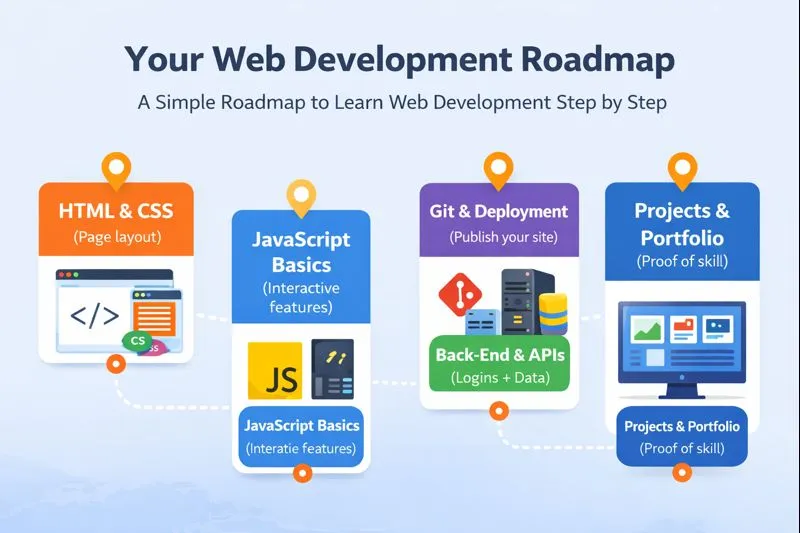
Beginner Roadmap: How Students Should Start
If you’re a student, your first goal is not “learn everything.” Your first goal is “learn the basics well enough to build something real.”
- HTML + CSS (build a clean page layout)
- JavaScript basics (make it interactive)
- Git + deployment (publish your work)
- Back-end fundamentals (login, data, APIs)
- Projects + portfolio (proof of skill)
Common Beginner Mistakes (And How to Avoid Them)
- Jumping to frameworks too early: Learn fundamentals first.
- Copy-pasting code without understanding: Rewrite it in your own words.
- Not building projects: Projects are where learning becomes real.
- Ignoring basic security: Learn safe handling of user data early.
FAQs: Web Development for Beginners
Is web development good for students?
Yes. It builds logic, practical skill, and job-ready experience. Even small projects can become portfolio proof.
Should I learn front-end or back-end first?
Start with front-end. It’s easier, visual, and builds confidence. Then move to back-end.
How long does it take to learn web development?
With consistent practice (45–60 minutes daily), basics in 2–3 months, job-ready skills in 9–12 months.
Do I need a computer science degree?
No. A degree helps, but skill + portfolio matters more in web development.
What should my first project be?
A personal portfolio website, then a simple blog layout, then a form page with validation.
Final Thoughts
Web development is one of the most practical skills a student can learn today. Front-end and back-end are not competitors—they are partners. Front-end makes the experience beautiful and usable; back-end makes it powerful, secure, and intelligent.
If you can master the fundamentals and build a few real projects, you will not just “learn coding.” You will gain a skill that can support freelancing, jobs, and long-term growth in tech.